- Learn how to identify fake AirPods
- Know what red flags to look out for
- Understand what to check before you buy!
- Also, check out our post on how to fix muffled AirPods!
Success breeds imitators, and the AirPods are no exception. The market is rife with clones and cheap knockoffs, which is why it’s important to be able to spot a pair of fake AirPods.
It can be tricky to determine if a pair of AirPods is genuine, but if you know what to look for, there are some tell-tale signs.
In this article, we’ll go over 7 ways to tell if your AirPods are fake;
How To Identify Fake AirPods
To tell if your AirPods are fake, follow these steps:
- Check the serial number via Apple’s serial checker.
- Inspect the packaging
- Check the contents of the box
- Use your iPhone to identify fake AirPods
- Check the AirPods case for discrepancies
- Check the robustness of the case
- Ensure the firmware code matches up
Check The Serial Number

All genuine AirPods will come with a serial number, and you can use this to verify whether your AirPods are a genuine set or not.
If you have a set of buds, you’ll find the serial number on the bottom of the charging case (or if you have AirPods Max, these will be found on the left earcup. Remove the magnetic cushion to see it).
This isn’t to say that a fake set of AirPods won’t also have a serial number. After all, it’s easy enough to print on a random set of numbers and letters. The good news is there is a way to check whether the serial number is valid.
If you head to Apple’s Check Coverage page, you can key in the serial number and check if this is registered to Apple.
If it isn’t, double-check check you’ve keyed in the correct serial number, but if it doesn’t show as recognized, your AirPods are likely fake.
Check The Packaging

This one does require a bit of detective work as there is no ‘standard’ AirPods packaging. This means a set of first-generation AirPods might come in different packaging than a set of AirPods Pro.
That said, there are several things you can look out for on the packaging that should be flagged as suspicious. One of these is grammatical or spelling errors.
Look out for punctuation or oddly constructed sentences that need to be corrected. As you can imagine, Apple will have some stringent testing on their products before release, so anything that doesn’t quite read right is likely a sign of a fake set.
Similarly, think about whether the packaging is of high quality. AirPods are a premium product, so if there are low-quality stickers on the box or the image on the box isn’t set in the center, this could also signify that these aren’t a genuine set of AirPods.
You might think muffled or buzzing AirPods are a sign of a fake, but not always!
Check The Contents Of The Box
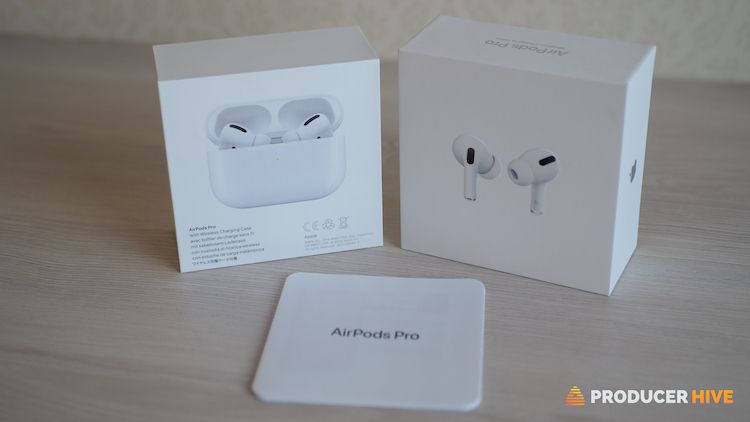
This is a tricky one unless you can see the product before buying. Often a counterfeit set of AirPods will either need accessories or have a strange-looking instruction booklet.
By that, we mean the print color isn’t bold or striking, the instructions don’t make grammatical sense, or the layout isn’t proper.
If the lightning cable is missing, this can also be a big red flag. Also, look at how the AirPods sit in the box.
If you’ve bought anything from Apple before, you’ll know that their products, whether an iPhone, AirPods, or iPad, will always have a sleek fit in the box.
If the Airpods are just in a plastic wrapper and loose in the box, then you know you’re probably looking at a fake!
Check out our guide on pairing AirPods with a different case.
Use Your iPhone To Identify Fake AirPods
A surefire way to identify fake AirPods is to attempt to link them to your phone. The reason this is such a reliable test is that AirPods come with a W1 or H1 chip.
This chip is designed to make the Bluetooth functionality of the AirPods as seamless as possible so that if you are attempting to connect to an Apple device, the connection happens instantly.
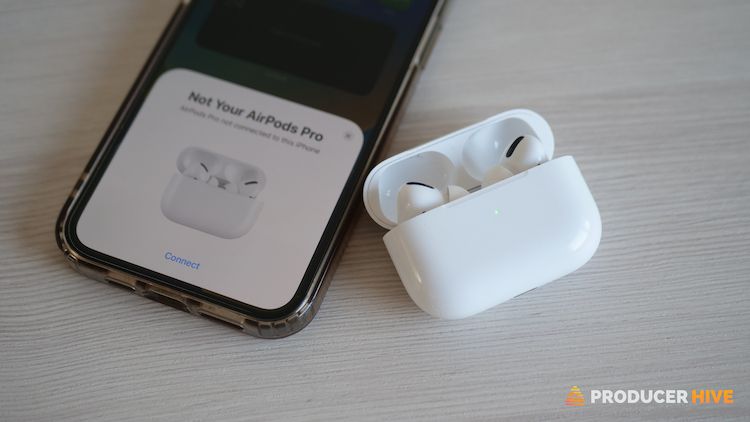
Try connecting your AirPods to your iPhone or iPad. If a message flags up saying your device can’t verify your AirPods, you’re not using a genuine Apple product.
If this does happen, don’t panic, as you can still connect your buds or headphones and listen to music via Bluetooth, but you won’t be able to use them like AirPods.
If you’ve already connected and find Siri or Noise Cancellation isn’t functioning properly, this is also a red flag, as fake AirPods won’t have either of these features.
One last thing to look out for is your Memoji if you have a set of AirPods 2. If you engraved the Memoji onto the AirPods’ case, then this will show on the AirPods status screen.
Lost your AirPods? Here is how you track them!
Check Your AirPods Case
A dead giveaway for a set of fake AirPods is the charging case. If you’re unfamiliar with the case, you might need to head to Apple’s website and compare their product images to yours, but any discrepancies likely mean a fake set.

Look for a case shaped differently from those shown on Apple’s website and any extra or missing features. It’s also worth a search on YouTube to compare your case to the genuine article.
Another key thing to remember is Apple only sells AirPods in white. So this will only be genuine if you see a set in color other than this (even if it’s a darker color). Apple is synonymous with its bright white AirPods cases.
AirPods flashing orange? Here is everything you need to know.
Test The Robustness Of The AirPods
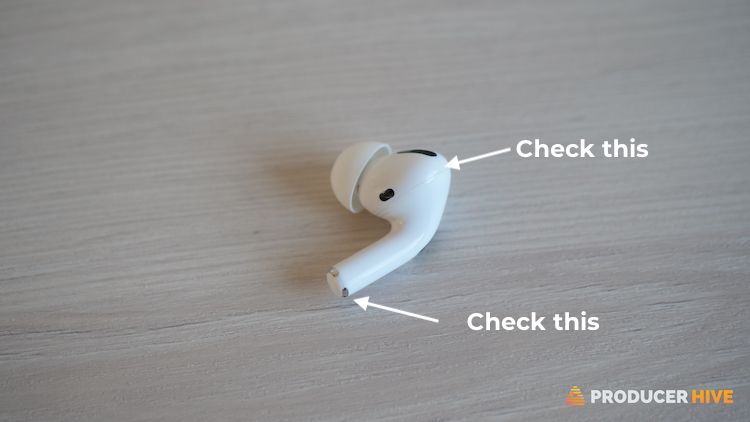
Without being too heavy-handed, a test of the robustness of your AirPods can be a way of telling whether they are genuine or not.
For example, some owners of fake AirPods have reported that the cap at the bottom of the stem could be pulled off easily, while others have noted other small parts coming away from the buds or headphones after a short period of use.
This isn’t the test to do if you’re in a shop, but if you’ve already purchased a pair of AirPods and are finding this is happening, then sorry to say, they are probably fake.
Check The Firmware Of Your AirPods
Apple regularly updates AirPods’ firmware to keep them running smoothly. This is identified by a code you can locate on your phone and cross-reference with Apple’s firmware list.
If you’re not sure how to do this, then just follow these steps:
- With your AirPods connected to your phone, open the ‘Settings’ app
- Scroll to ‘Bluetooth’

- On the list of devices, tap the ‘i’ next to your AirPod

- Note down the firmware code and compare it with Apple

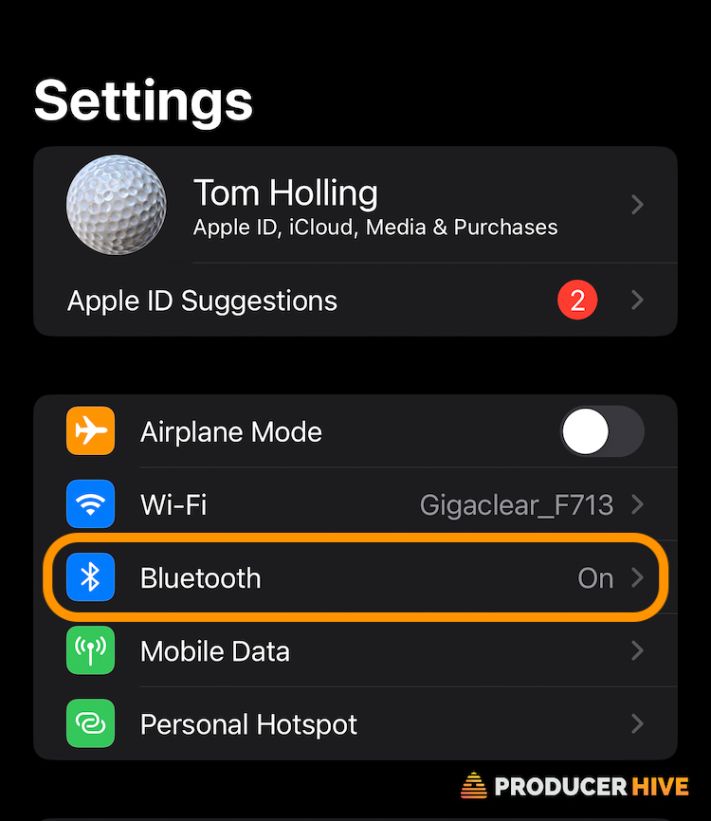
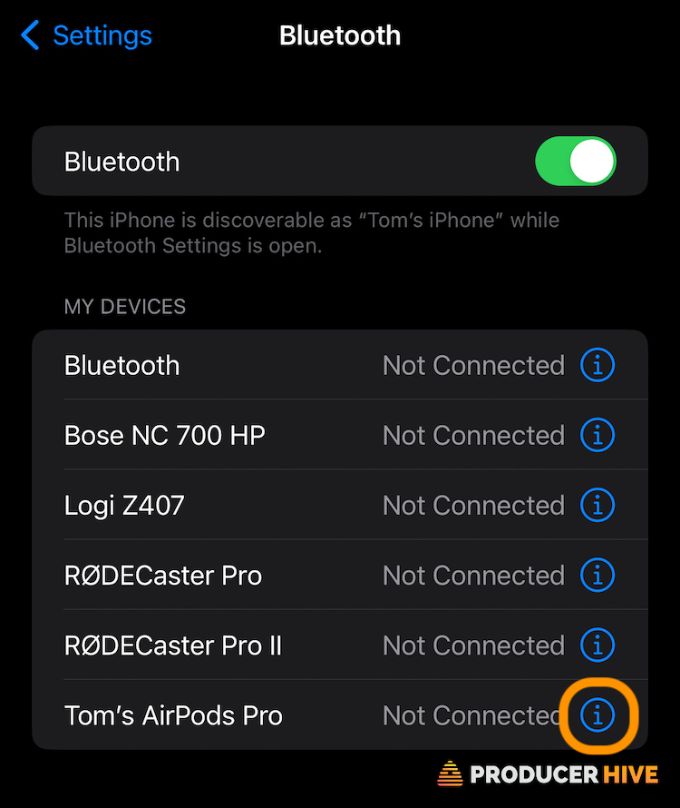
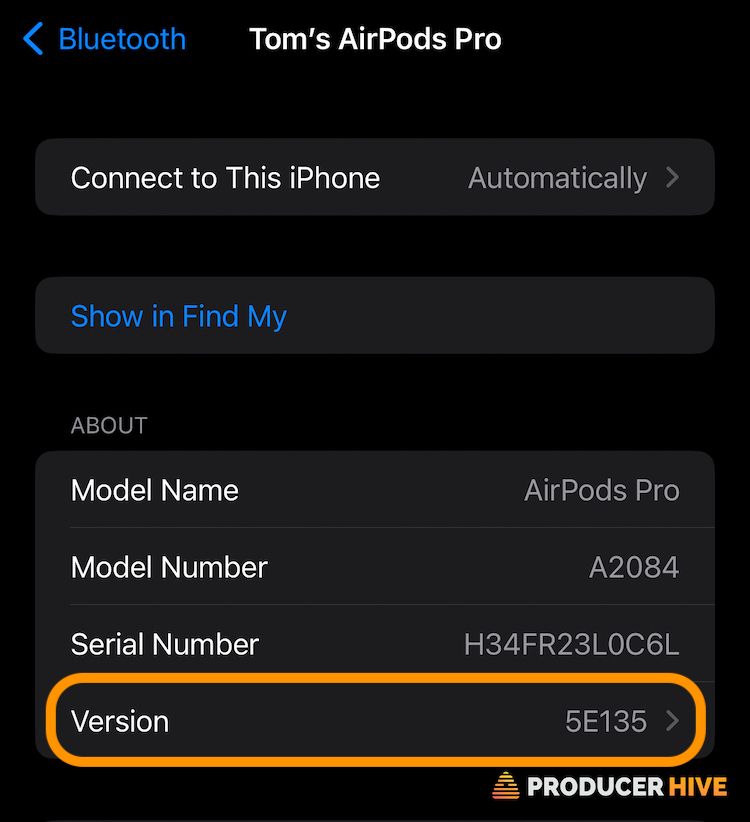
You should immediately notice if the code isn’t incorrect compared to Apple’s. If it isn’t, then unfortunately, you have a fake set.
Where Fake AirPods Likely To Be Sold
While there’s no way to say if there is a specific site or shop where fake AirPods are being sold, it’s worth being vigilant if you’re using any sites involving an independent seller selling directly to you.
- Look out for verified sellers and those with excellent feedback and reviews.
- If you’re unsure, read as many reviews as possible. Be vigilant with the reviews, as these can be fake/manipulated.
Things are more manageable if you’re purchasing AirPods in person, as you can inspect and check them before parting with your cash (we’ll run through what to look out for in a moment).
One way to be sure is to buy from Apple directly. If purchasing second-hand, encourage the seller to meet you at the nearest Apple Store. If they get defensive about it, then that should be a cause for concern.
How To Avoid Buying A Fake Set Of AirPods
The only way to be certain, without carrying out the tests above, is to purchase from Apple directly.
If you purchase from another reseller, you can check if Apple verifies them. If so, you know they can be trusted.
If buying a set online, thoroughly check out the website’s refund policy if you suspect the AirPods might not be genuine. If not, you know you can return them and receive your money back.
Other than that, read the seller or website’s reviews. If there aren’t any, or they seem too good to be true, then it is probably worth steering clear. If you are in doubt, try elsewhere for a genuine pair.
Before you go, why not check out: