- Find out how unique your music tastes are
- Understand how Obscurify scores you
- Understand the security & privacy implications of using Obscurify
- Also, check out our post on these 10 fun Spotify websites and apps!
Let’s be honest; who hasn’t secretly enjoyed telling a friend about some completely unknown band or artist, they’ve just started listening to? The feeling of championing the underdog is great, or perhaps it’s just the bonus points for being knowledgeable about an underground act that no one has heard of.
Regardless of what it is, people love to know how leftfield or unusual their music taste is, so wouldn’t it be great to give that a score? Well, you can by using Obscurify!
Before granting access, you should also be aware of such apps’ security and privacy implications. Near the bottom of the article, we have a small section that discusses this, along with how to revoke permissions (once you’re done using it).
What Is Obscurify?
If you’re a Spotify user, you’re likely familiar with their end-of-year ‘Wrapped’ function, which allows you to check out your listening tastes for the year and see who and what you’ve been listening to.
Wrapped will let you check out specific genres and the time you’ve spent listening to your favorite bands. One thing it won’t do, however, is let you know how common (or uncommon) your listening choices are, which is precisely what you’ll find Obscurify does.
How Does Obscurify Work?
Obscurify is actually a pretty simple concept; it will access your Spotify data and analyze your listening habits and compare this against other Spotify users to assess how unique your music tastes are. It then generates your score, which you can share with your friends and compare who has the most unusual taste in music. The higher the score, the more obscure.
How To Use Obscurify
Obscurify is simple to get going with. All you need to do is log in to their website with your Spotify credentials. This will grant Obscurify access to your Spotify data and automatically generate your stats.
What Obscurify Shows You
The main aim of Obscurify is to tell you how unusual or unique your music tastes are. But there is much more to it than that, and logging into Obscurify is a fascinating look at your listening history.
Top Genres
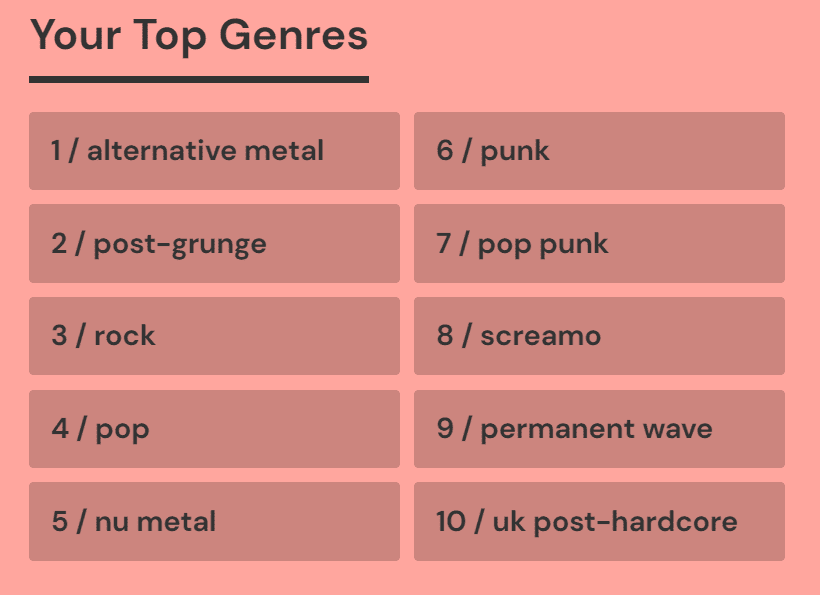
The first thing you’ll see when you sign in to Obscurify is a list of your top genres. This is generated from your most listened-to tracks on Spotify. This is straightforward, and you probably won’t be surprised to see what’s on your list, but it’s interesting nonetheless!
Obscurity Rating
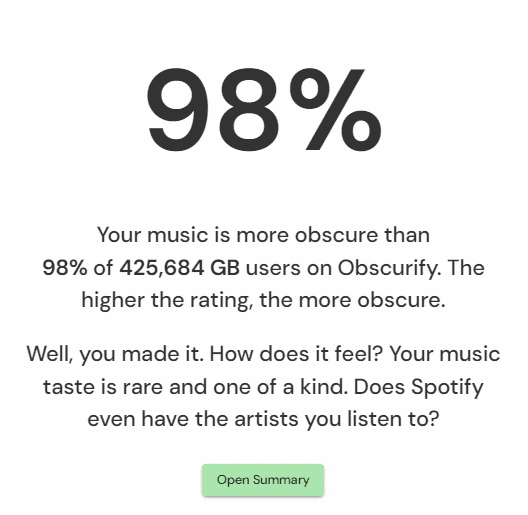
The obscurity rating gives you a percentage score based on how obscure your music tastes are. The higher the score, the more obscure your music interests are (and the more bragging rights you get!).
Keep in mind this isn’t a worldwide score. Obscurify will rate you against other users in your country. You’ll also get a breakdown of how many users that represents. If you want to compare yourself to another country, just hit the menu on the right and choose a country.
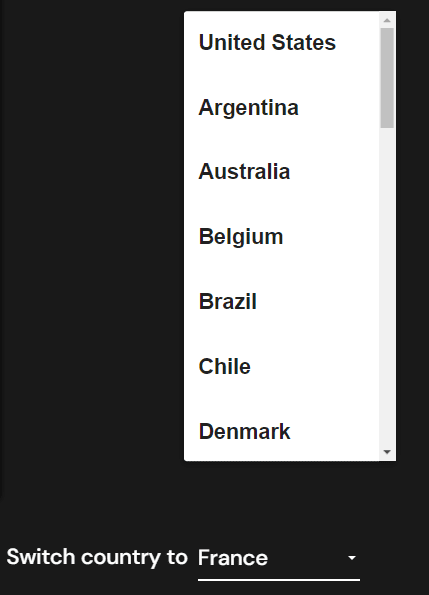
You’ll also be able to track your music taste in a graph that compares you to other listeners in your chosen country.
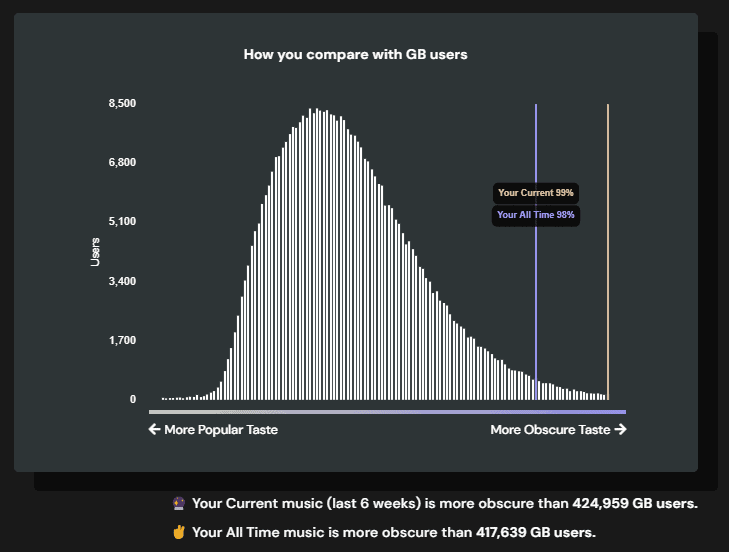
This is a fun way of visualizing how unusual your tastes are, as you can see how you compare on the graph. Simply hit the menu to change the country and compare your data with other geographical locations.
Your Most Obscure Tracks
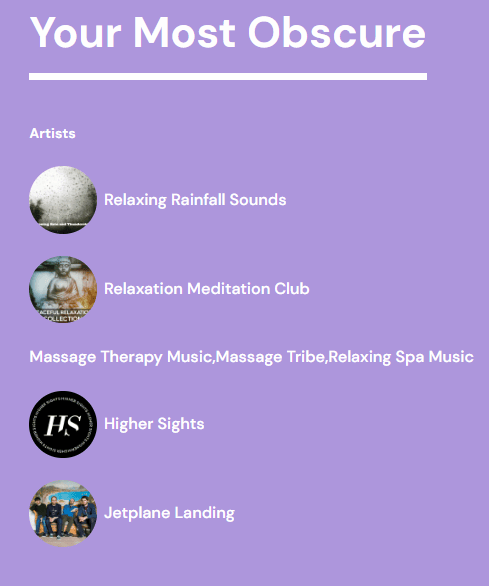
Now you have your Obscurify score; you’re probably wondering exactly which tracks and artists have helped contribute to that. You’ll see a list of tracks and artists which you can click on to be taken directly to Spotify. So if you’ve forgotten about that 3-hour-long ambient noise track you were into a few months back, you can hop right in with one click.
In this case, we found a very eclectic mix of rainfall sounds and indie rock!
Current Top Artists
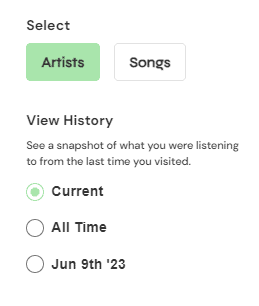
Next up is a breakdown of your top artists. Rather than letting you know how obscure these are, these just provide a fascinating snapshot of your listening history. This can be broken down into your current list of top artists, your top artists of all time, and a specific date.
You can also filter by song if you want to dig a bit deeper and see the specific tracks you’ve been listening to. You can choose to see the top 12 or 25 of each.
Your Moods
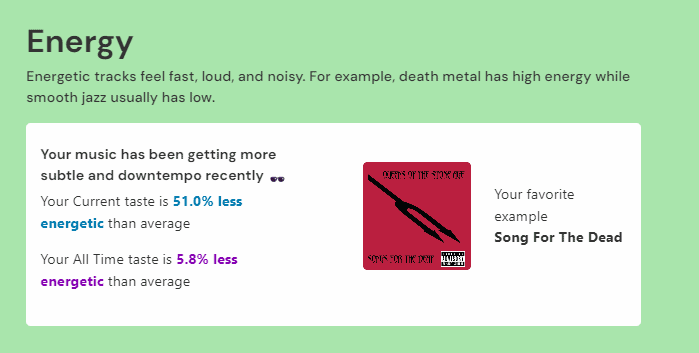
Interestingly Obscurify will compare the mood of your music habits to other Spotify users. These are broken down into subcategories such as danceability, sadness, energy, and ‘Acousticness,’ which generates stats based on whether the music leans more toward electronic or acoustic elements.
You’ll then get a percentage score that grades you against the average score of others.
By The Decades
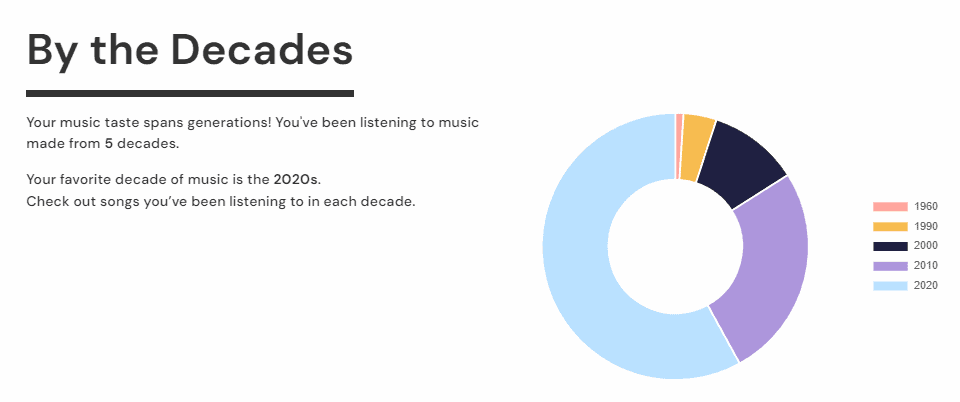
This section shows you how many different decades your music habits span. It will also tell you your most popular decade and a breakdown of your most-listened-to tracks from that particular period.
This is an excellent feature for jumping back into a particular time period, whether that’s 80s or 90s nostalgia through to old-school tracks from the 1960s. You can click on each track and open Spotify instantly to check it out.
Compare With Your Friends
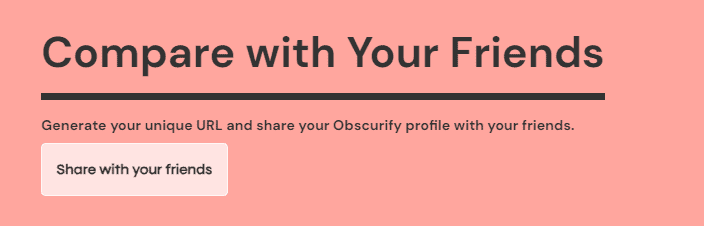
Compare With Your Friends will generate a unique link that you can share with others to show how obscure your music taste is. Just hit the button, take the link, and pass it on.
Recommendations
Lastly, Obscurify will analyze your listening data and recommend new music. Clicking the link will take you straight to Spotify to check out each track, which is an excellent way of discovering new music.
You’ll also be able to create a playlist of these tracks, so you don’t need to keep coming back into Obscurify to find them, and if they aren’t quite hitting the spot, there is a refresh button that will automatically regenerate a bunch of new music for you to listen to based on your data.
How Does Obscurify Calculate Your Score?
Spotify’s API generates all the information Obsucrify uses, meaning it extracts directly from their data. Obscurify then considers music popularity, traits, and genres to decide how to score your tastes.
Why Is Obscurify Showing Very Little Results?
If you’ve loaded up Obscurify and found there isn’t much to go off, it could mean a few things. If your account is new, there will be little information to report on. Similarly, if you listen in private mode, this can affect the overall outcome.
Remember, Obscurify can also take two weeks to populate your information, so if your account is new or you’ve just turned off private mode, try checking back in a fortnight or so.
Obscurify Security
Obscurify only requests access to your Spotify data and won’t be able to access any of your secure information, such as contact or financial information. That said, if you are concerned with a 3rd party website having access to your information, you’ll probably want to revoke access when you are done with the service or don’t want to use it anymore.
Obscurify states that they adhere to “all modern standards in web security.” They will only ever request access to your user ID, the country you live in, and the artists/songs you listen to. So the likelihood of your sensitive information being compromised is low.
How To Deactivate Obscurify
If you want to revoke Obscurify’s access to your Spotify account, it’s quick and easy. You’ll need to do this via your Spotify account, but all you need to do is follow these steps:
- Open Spotify
- Click on your name in the top right corner and select ‘Account’ (this will open your account in a web browser). You may need to log in via the browser for the next step.
- Click on ‘Profile’ followed by ‘Account’
- On the left, scroll to ‘Apps’
- Locate Obscurify and click ‘Remove Access’
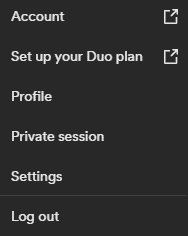
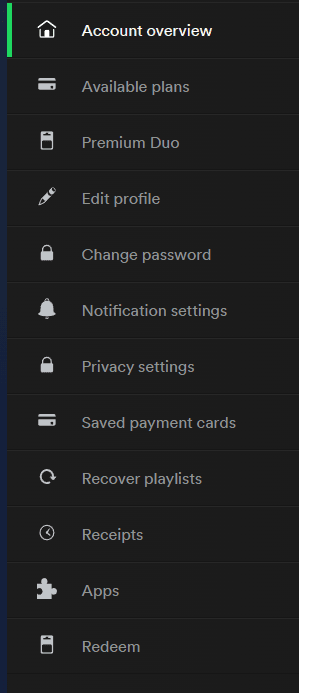
This will then remove Obscurify’s permissions to access your Spotify account.
Can You Reactivate Obscurify Once You Remove It?
Yes, you’ll still be able to log into Obscurify as usual and re-link it to your Spotify account if you want to use it again. Remember that the results you get will likely change, so if you want to remember any of your previous Obscurify results, it’s worth checking them before removing Obscurify.
How To Cancel Your Obscurify Account
Obscurify is unusual in that you don’t have to manually create an account to be able to use its services. This is because your Spotify login information links Obscurify to your listening data, so once you remove access rights, your account is effectively ‘canceled.’
That said, if you are concerned about what data Obscurify may have access to after you’ve removed their access to your Spotify account, it would be best to contact them directly via their website.
Before you go, check out a fun alternative to Obscurify called Receiptify! Learn more about it here.