

- Confused about the difference between line-in and mic-in?
- Basic explanations for all five types of audio signal levels – including mic level and line level.
- To go super big-brain, check out our post on analog signal flow.
Line-in and mic-in pop up frequently in setup-related questions. People often struggle to tell the difference because it involves some basic knowledge of voltage levels.
Line-in and mic-in are audio inputs, but they are indicative of the voltage level of the audio signal. Line-in can handle strong (think loud) currents, whereas a mic-in can handle very low current levels.
With audio signals, sound is transferred as a voltage into our mixers, audio interfaces, amplifiers, and speakers. These levels can be low or high, and the inputs are designed to ‘anticipate’ a certain level of currents. This is where we get the terms mic-level (for mic-in) and line-level (for line-in). Knowing the difference is important, and in this article, we’ll flesh out the differences between signal levels and the corresponding inputs.
Warning!: Getting line-in vs mic-in correct is crucial to ensuring you don’t ruin your equipment (or worse — your hearing). Reading this article (and your product manual) will ensure that you connect your devices properly and avoid damage to your equipment.
The Difference Between Mic-in and Line-in
| Input Type | Line-In | Mic-In |
| Voltage | -10 dBV for consumer equipment, +4 dBu for pro audio | Between -60 dBu and -40 dBu |
| Impedance | High impedance (10k ohms or higher) | Low impedance (600-1kohm) |
| Connector Type | RCA, 1/4-inch, 1/8-inch TRS, 3.5mm jack | XLR, 1/4-inch, or 1/8-inch TRS |
| Preamp | Not required | Required |
A line-in (line input) is an audio socket on audio interfaces, computer sound cards, and some mixers. It connects an external audio device such as an instrument, microphone, or CD player (remember those?).
Conversely, mic-in is designed for microphones – you connect a wired or wireless mic to a mic-in. A line-level input is not designed for microphones.

It might be cumbersome, but reading a product manual is the best way to understand an audio device to determine the right inputs. Several wireless receivers, for instance, have different output levels.
Key Specification Differences:
- Voltage: The line-level signal is about one volt, or about 1,000 times as strong as a mic-level signal. The two signal types do not ordinarily use the same input. This signal travels from your pre-amp to the amplifier.
- Inputs: You have an RCA, quarter-inch jack, or 3.5 mm jack for a line-level input. You typically use a female XLR connector for the mic-level input.
- Impedance: Line-in is the highest pre-amplification level in both consumer and professional audio products. It runs at 10kohm as opposed to a mic-in’s paltry 600-1Kohm.
- Usage: A mic-in is the input designed to handle the mic-level signal intensity (from a microphone), and line-in is designed to handle line-level intensity. That’s why you have an inaudible signal when you plug your microphone into a line-level input. So you can think of signal level as “volume” if you want to simplify things.
The Four Types of Audio Signals
We will detail the difference between line and mic level in detail, but let’s brush up on the five types of signals that you will encounter in the audio world.
- Microphone (Mic) level signals
- Instrument level signals
- Hi-Z level signals
- Line level signals
- Speaker-level signals or post-amp signals
What Is A Mic Level Signal?
This is for directly plugging in microphones without preamps. This will almost always be via an XLR cable. Mic-level is the weakest audio signal of all the types. It’s mono with terribly low-level signals, usually around between -60 to -40 dBU. You must bring up mic-level signals to line level somehow, most commonly by using a preamp or a mixer.
Most audio interfaces have a pre-amp to bring the mic level of a microphone up to line level. You can also buy standalone preamps that are better than the built-in preamps of your audio interface. Some standalone pres are famous for being transparent (clarity), while others are sought out for their ‘tone color’ or unique sonic character.
What Is An Instrument Level Signal?
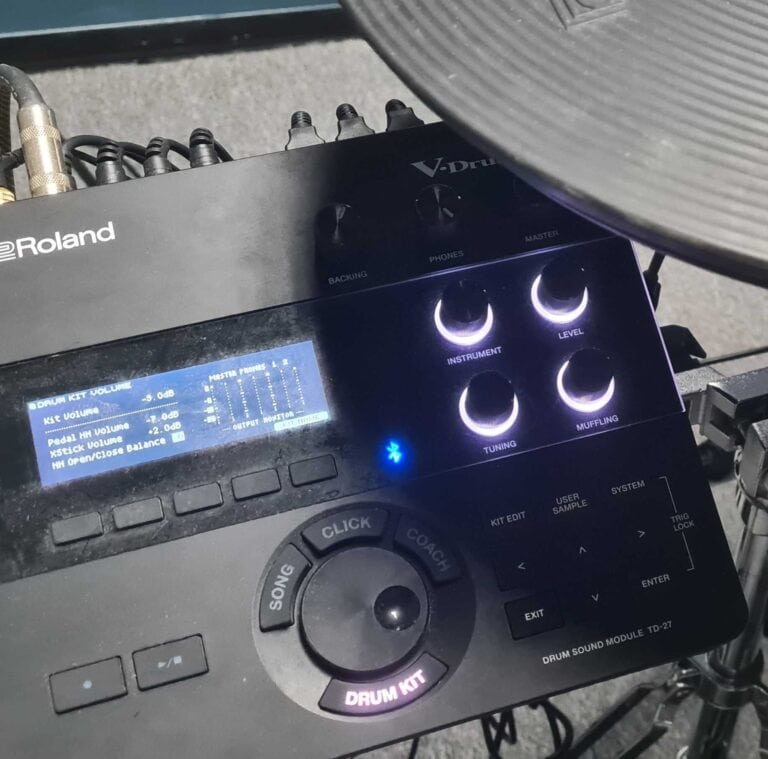
An instrument-level signal is a type of audio signal that is produced by an instrument, such as an electric guitar, bass guitar, or keyboard. In terms of strength, it falls in between mic-level and line-level signals. Instrument-level signals are usually unbalanced (some synthesizers and electronic drums, for example — are designed to be unbalanced). These have a high impedance.
On an audio interface, you typically have instrument inputs to handle instrument-level signals for your guitars or other instruments.
What Is A Hi-Z Level Signal?
Hi-Z level signals are an off-shoot of instrument level signals, but with higher gain than a line input. Their
A Hi-Z signal is specifically a high-impedance signal and can travel over 1M ohms or higher, making it suitable for instruments that use passive pickups (which need higher levels of amplification)
My Audio Interface Has No ‘Hi-Z’ Input!
Don’t worry if your audio interface doesn’t have a Hi-Z input. You can still use a regular instrument-level input with a preamp or DI box to boost the signal to line level.
Shopping for one that does? Our audio interface comparison tool can show only interfaces with a guitar (Hi-Z) input.
What Is A Line-Level Signal?
Line-level signals are one volt, which may sound small, but it’s still a big leap from mic-level signals. That is why the line-level and mic input cannot be used interchangeably. A line-in signal carries the signal from the pre-amp to the speaker amp. Typically, mixing desks and mic-pres work with line-level operators.
Based on the types of audio gear, line levels exist in two forms:
- Consumer electronic equipment: DVD players, audio players, or home theater systems (-10 dBV/consumer line levels)
- Pro-grade music/recording gear: Signal processing units and mixing desks (+4 dBu/standard line levels)
What Is A Speaker Level Signal?
A speaker-level signal refers to the post-amplification signal. This is the signal when the line-level signal travels through the amplifier into the speakers. It’s the loudest of the four types of signals and has more voltage than line level. Always use good-quality speaker cables for safe signal transfer.
Boosting Mic Level To Line Level
Mixers, preamplifiers, standalone preamps, and inline mic preamps are the most commonly used devices to boost microphone levels to line-level signals. This boost ranges from 45 to 70 dB based on the quality of the preamp. Standalone preamps can be single or multi-channel, and mixers allow you to combine multiple signals to a single output.
Inline mic-preamps like Triton Audio FetHead of Cloudlifter CL-1 are also used for a +25 dB boost on dynamic microphones to bring them up to line level. They are popular with ribbon and dynamic microphone users, especially in the broadcasting and podcasting realm.
In a recording scenario, you will connect a mic to a mixing console or audio interface to record vocals or an instrument. This microphone goes into a mic-level input that is connected to a preamp in the mixer or audio interface.
The built-in preamps on audio devices are designed to boost the signal to line level. They typically are accompanied by a knob to adjust the gain for the preamp.
Instruments such as electric guitar or bass aren’t mic-level. They are instrument level. However, an instrument-level signal is also boosted to line-level by the built-in preamp of an audio interface or mixing console. DI boxes are able to boost mic and instrument level signals to line level.
Can You Use Mic In As Line In?
No, it will overload if you hit it with a line-level signal. What you hear will be loud and distorted and may even damage your equipment.
You can eliminate some of this distortion by reducing the output level of the source, but it will compromise the signal-to-noise ratio. You can use a pad or a two-port device called an attenuator to weaken the line-level signal by up to 50 dB.
Attenuators reduce the power sent to the connected load and thus allow you to connect a line-level source to a mic input. Some attenuators, such as the Shure A15LA have a fixed attenuation (50dB), while others have a switchable/variable amount.
There will be times when you are dealing with equipment or devices that don’t have input options. If you wish to connect a line-level signal to a mic-level input you can use a DI box.
Can You Use Instrument Level Instead Of Mic Level?
Instrument level signals sit between mic level and line level signals. These signals still need preamplification to bring them up to line level. You encounter them while recording instruments such as an electric guitar or bass.
These instruments are unbalanced, which can result in noise if you are using long or poorly shielded cables.
The ones with pickups (guitar/bass) have high-impedance signals. If you run them through a low-impedance input, it will shave off a lot of the detail in the top-end. Both these issues can be remedied with a passive or active DI box such as the Countryman 85, Radial Pro DI, or Rupert Neve RNDI.
Is Aux-in The Same As Line-in?
Line signal level is 1 volt, and aux level is 0.3 volt. Aux level is close, but not the same thing. Aux inputs are on consumer products like Bluetooth speakers and home theater systems. They are always unbalanced. You cannot use an aux-in for a microphone.
What About Phono Input??
This is for record players / turntables. The direct signal from a turntable requires a special kind of equalization before it is sent to your amp. This is partly because if a record has too much low-end, the needle can skip, and also because it allows for more recording time.
If your amp has a phono input, it will apply RIAA equalization to this input so that your records sound like high-fidelity audio. Some turntables have an optional line or aux output with this equalization already applied (or a switch that lets the user decide).
Before You Go…
We’ve covered the basics of these two audio signals, and I hope my “inputs” have been helpful. Consider filling in your knowledge gaps on the differences between balanced and unbalanced audio too.


I’d be curious to get a bit of clarification regarding some similar info we were taught at CRAS. My recollection is, that consumer/prosumer hifi equipment operated at .775 V and therefore, was not recommended to work with professional (1V as you mentioned) equipment. Could you elaborate on that?
We were taught not to mix equipment from Radio Shack with professional PA equipment.
Pro-audio equipment is studio-grade. Consumer audio is ‘home-grade’ or home-oriented. In a nutshell, they are designed for a totally different purpose. The obvious differentiating aspects are things like signal level, connectors, and phantom power.
Consumer audio uses unbalanced audio signals while pro-audio uses balanced signals. One reason to not mix the two is because of the huge difference in the range of signal levels they can handle. Pro-audio is designed specifically to handle large variations. Consumer audio may or may not (usually not). As far as the signal level goes, it’s not that you *can’t* mix them. It will just result in very quiet or very distorted signal levels.
There’s also the quality of components, connectors, build strength/quality, power specs, and many other reasons not to do it.
Consumer audio is built for consumers and it’s sometimes intentionally built to not last (planned obsolescence). Pro-audio equipment (from a reputed brand) is built to survive. It has to stand up to a high-stakes environment (driving speakers in parallel or professional recordings) or a physically hostile environment (weather, travel, etc.). I am sure there are exceptions (premium prosumer vs. crappy pro audio) but I guess the thumb rule ‘don’t mix the two’ is also a way to play it safe. Any misgiving on account of mixing the two can turn into an embarrassment (best case) or a legal liability (worst case).
Sounds like a great idea for a future post, hah!
I have a good prosumer Dual Wireless microphone setup called the PicoMic 2 system, and the Picostream receiver that comes in the package, is said by a few sources I’ve read, to have a built in pre-amp, and a few others say that it should be plugged into a line in port, for things like use with a computer, although I have a few questions on microphones in general, as well as my setup specifically.
First question is, I’ve heard someone on YouTube say that you should have a computer connected microphone set up as TRRS, yet my microphone setup is supposed to be able to use TRS, and you’re even instructed to use TRS with PC, so why would someone say you HAVE to use TRRS with PC???
The person did say that TRRS was for both mobile and PC, but when my instructions say “for PC use TRS” it’s hard to go by what some audio snob on YouTube says that’s different.(no offense to any of said snobs intended)
My second question is, should my Pico mic receiver that supposedly has preamps built-in, be hooked up to line-in or mic-in???
I asked that second question, because I currently have the microphone hooked up to my mic-in port on my front panel audio on my PC and it sounds really steady and clean, as far as comparing it to something like my pixel phone, for instance which is what the Pico mic is supposed to help me alleviate eventually, besides using it on the PC in post-production or what have you.
Any experience with a PicoMic system, or microphones in general, that could help answer these questions, would be appreciated.
Also, if anyone is wondering, I am an audio noob by most standards, although I do volunteer as an AV guy at my church, and I definitely understand how stressful the job can be. With that in mind, please keep answers somewhat simple for me, even though I understood most of the article you guys wrote
Nice sumary! What I’m missing, what about headphones out? How does this relate to line/mic level and what is needed to use this as input in an mixer (if no other connection is possible)?
+1 to answering this question. Someone at our church was sending the TRS headphone out jack to the 3.5mm laptop input jack and recording the services via Audacity. It didn’t sound good until we noticed this and used an AUX port in the back of the mixer.
you have the terms BACKWARDS in the section “What Is A Line-Level Signal?”
should be: +4 dBu for Pro, and -10 dBV for consumer
Nice catch, Gary! Thanks for pointing it out. We’ve gone ahead and corrected that.
Hi. Great article. Can you please elaborate on mic’s with phantom power. Thanks.
Thanks for the article.
I have 2 questions.
1) If I’d like to plug a single microphone (SM58) directly into a powered speaker (which does not have a microphone switch option), what sort of unit do I need to get?
2) What do I need to plug a SM57 microphone into my looping pedal? I have a stereo looping pedal and would like to add a drum beat into the mix.
This article was very helpful and I was wondering if you could give me some clarity on my present audio/visual situation. I am live streaming from a Canon AX40 camcorder using XLR cable on Input 1. This is going into a Yamaha mixer. My steaming set up is a Black Magic ATEM hooked up to a PC laptop. Is the best audio setup for this Line In or Mic in?
I am assuming the best options for this is 2 Channel not 4.
Thanks for any and all help!
Don
This is for record players / turntables. The direct signal from a turntable requires a special kind of equalization before it is sent to your amp. This is partly because if a record has too much low-end, the needle can skip, and also because it allows for more recording time.
If your amp has a phono input, it will apply RIAA equalization to this input so that your records sound like high-fidelity audio. Some turntables have an optional line or aux output with this equalization already applied (or a switch that lets the user decide).
I didn’t understand this part. Specifically the equalization of the signal of the turntable before being sent to the preamp. I think turntables can’t record audio, right? Didn’t understand too the part where the needle can “skip” because of too much low-end, therefore freeing more recording time (1st doubt) after the equalization process. Hoping you can clarify me, thanks!