- We review the best free multiband compressors in today’s market.
- 8 (completely) free plugins for your music production toolkit
- Also, see How to Use Multiband Compression (The Right Way)
In recent years, we’ve seen a tendency towards “over-the-top” or OTT multiband compression, which trades dynamics for texture – smashing your audio and bringing all the grit to the foreground in the process. But this is just one possible use.
A multiband compressor gives a music producer the best of both worlds: dynamic range control and tonal shaping. So, what’s better than a great multiband compressor plugin, you ask? A great free multiband compressor plugin. Better yet, how about eight of them?!
There is no shortage of free multiband compressors, but not all are worth the download. That’s why we have rounded up eight killer multiband compressors that can juice up your individual tracks and busses.
The Best Free Multiband Compressors
- Convergence Free by Cut Through Recordings
- GMulti by GVST
- ReaXComp by Cockos
- T-Sledge by Sweetboy
- OTT by Xfer Records
- MCS6 by J1000
- Dynasaur by Analog Obsession
- TDR Nova by Tokyo Dawn Labs
- Kolin MB by Analog Obsession
Before we jump in, it’s important to know the features and operating system compatibilities for each plugin. These can be found in the table below:
| Plugin | Features | OS Compatability |
| Convergence Free | – Up to 4 frequency bands – Envelope & compression curve displays – Light on CPU | Windows & Mac OS |
| GMulti | – 3 bands – Parallel processing capabilities – Each band has width control | Windows & Mac OS |
| ReaXComp | – Can work as a multiband expander – Auto make-up gain & sidechain functionality | Windows 32-bit only |
| T-Sledge | – Specialized mastering compressor – Compression per band – Functions well as a limiter | Windows 32-bit only |
| OTT | – Achieves extreme effects when pushed – 3 band upward/downward compressor – Simple UI | Windows & Mac OS |
| MCS6 | – Provides 6 serial stages – Stereo width & gain control for each stage – Global filter section | Windows 32-bit only |
| Dynasaur | – technically a dynamic EQ – 5 bands – Select between Peak & RMS modes | Windows & Mac OS |
| TDR Nova | – 4 bands – Each band has 3 filter modes – Can be used for expansion | Windows & Mac OS |
| Kolin MB | – 3 bands – Dry/wet mix knobs for each band – Analog emulation | Windows & Mac OS |
Now, let’s get to it!
1. Convergence Free by Cut Through Recordings

Overview
Convergence by Cut Through Recordings is a feature-packed multiband compressor with a beautiful interface.
Touted as a mastering-grade plugin, Convergence provides super clean and precise dynamic control and many configuration options.
Performance & Features
The GUI is inviting and modern without being cluttered with unnecessary controls. More importantly, the plugin is impressively efficient regarding CPU consumption, clocking only 4% when I demoed it solo in Ableton on my 2017 MacBook Pro.
In the free VST, you can choose between 2 and 4 frequency bands. The paid/premium version can have up to 10. The main spectrum analyzer display lets you easily adjust the crossover points of these bands, giving the user surgical precision when selecting parts of the audio to process.
My favorite feature is the ability to link any compression controls across all the bands. This means you can increase or decrease the value of any parameter for all the bands at once. Each band can also be heard solo, with the ability to solo multiple bands together.
The sound is clean and transparent without sounding clinical and devoid of character. It also has an almost imperceptible phase shift, which many engineers and producers will welcome. While it may be fairly mild at default settings, don’t let this fool you–you can really push the settings to make it roar.
The plugin packs in envelope and compression curve displays (gain reduction display is only in the paid version) for accurate real-time visualization. Oversampling up to 2x is available (8x in paid version) to top off an already impressive feature set.
Verdict
Convergence is worth checking out, especially as a field test for the premium version. It looks great and provides precise feedback of the compression process, true to its mastering grade tag. Yes, it’s relatively limited compared to the premium version but still offers top-grade features.
Convergence is available for both Windows and Mac OS.
2. GMulti by GVST

Overview
GMulti should be the first thing you check out if you want a transparent multi-band compressor plugin. It may look deceivingly simple, but it’s quite sophisticated under the hood. You can read the online manual and download the plugin here.
Performance & Features
GMulti fixes the number of bands at three. The presence of only 3 bands simplifies the process and saves some time while still delivering quality results. A mix knob is also a thoughtful addition to achieve parallel processing.
The crossover frequencies of the bands are user-defined. Any band can be muted for monitoring individual frequency ranges. A global control for input gain and a useful high pass filter are also provided for volume matching and avoiding low-end pumping effects.
The plugin can be set quickly to get great results. It performs very well in taming harshness in the high end for drum busses (cymbals) or full-mixes. On the low end, I found it great for preventing bass or heavy guitars from getting muddy.
Check out our handy tips guide on how to mix low-end.
GMulti’s stereo width control is my favorite feature by far. Each band sports a width control to increase stereo information or collapse down to mono. It’s killer stuff when you want to tighten up the bass while widening the highs to make a full-sounding yet controlled master.
Verdict
GMulti is totally free – you’re not getting a limited version of a pricier plugin. For individual elements or larger groups, this plugin is a great pick to add to your toolkit of VST compressor plugins for quick recall.
GMulti is available for both Windows and Mac OS.
3. ReaXComp by Cockos

Overview
ReaXComp is part of the ReaPlugs collection, the set of stock plugins in the Reaper DAW, available for all other DAWs as well. As with Reaper’s other stock plugins, ReaXComp’s approach is to prioritize high performance with a microscopic CPU footprint. See if you can spot any visual compromises they made along the way!
Performance and Features
The GUI is as no-frills as it gets, with a highly accurate real-time spectral display and a tabbed view for each band. But don’t let the lack of fancy graphics fool you; ReaXComp is extremely powerful and versatile.
ReaXComp supports practically unlimited individual frequency bands. From sculpting to high-quality crossovers, it handled quite demanding mastering tasks with ease after spending a good few hours with it on a particularly cold winter’s evening. Each band can also be soloed to hear what is happening precisely.
It’s important to note it also works as a multiband expander – a feature not so commonly found on other multi-band compressors. Each band can be set to a ratio less than 1, which makes that band’s function invert and perform expansion.
ReaXComp also provides a very useful ‘program-dependent release’ which automatically varies the release of the band according to the nature of the input signal. An auto-makeup gain function and sidechain ability round out this seriously serious plugin.
Verdict
ReaXComp is the lord of the highly customizable multiband compressors. However, the emperor has no clothes, so you will have to get around the GUI (or the lack of it).
ReaXComp can be made to sound fantastic on practically any source, or rather, make any source sound fantastic. What’s really absurd is you get all the sound quality with no latency and minimal phase shift for free!
RexComp is only available in Windows 32-bit VST format.
4. T-Sledge by Sweetboy

Overview
Adding T-Sledge to the list (and seeing that interface) is almost like a throwback. It’s an oldie but a goodie.
It is a specialized mastering compressor with a huge range of tricks. The plugin features a peak limiter, level maximizer, 4-band compression module, and more.
Performance and Features
I want to start by saying I was given this plugin when I first started producing well over a decade ago. I had no idea what it did (or what I was doing), which led me to use it unconventionally. While touted as a mastering compressor, you can abuse the T-Sledge to make it sound like a roaring FX unit (keep an eye out for the ‘Bass Boost’ preset–it’s your secret weapon for wall-of-sound choruses when pushed!).
T-Sledge’s bands are divided into low, low-mid, high-mid, and high, with a separate attack, threshold, ratio, and release for each band. You can select between soft and hard knee style compression for each band. The ratio can be set to less than 1 to make the band work in expansion mode.
Setting it to its maximum value makes it function as a limiter. The plugin also sports an Auto Release Control mode that calculates release time continuously according to the input material. T-Sledge also provides two kinds of dividing filters: IIR and FIR.
FIRs are more accurate but introduce latency and might be suited only to mastering purposes. IIR is computationally efficient, ensuring that the plugin adapts well to mastering and real-time use.
(FIR filters show up in Linear Phase EQ plugins – to learn more, read Linear Phase EQ Vs Minimum Phase EQ (When To Use Each))
Verdict
T-Sledge may not rank as the best free compressor plugin, but it is far from outmoded. From gentle to aggressive compression, this Winamp-era plugin will sit well with anyone who wants a professional-sounding multiband compressor to shape their sound.
It is especially suitable for a master bus or an instrument group with a wide range of frequencies.
T-Sledge is only available in Windows 32-bit VST format.
5. OTT by Xfer Records

Overview
Short for ‘Over The Top,’ the Xfer plugin lives up to its name and should be considered nothing short of an EDM staple.
As the name might suggest, this free multiband compressor VST is at its conventional best when used sparingly but can achieve extreme effects when pushed.
Performance and Features
OTT is a visually simple but sonically explosive multiband compressor. It is a 3-band upward/downward compressor with an interface displaying bands for low, mid, and high frequencies.
The plugin doesn’t mention what these ranges are, leaving it to your ear to gauge the sound to figure out what is best. The usage is simple: two knobs control the overall amount of upward and downward compression.
Check out our guide to upward vs downward compression!
Sliders on each band control the amount of compression for each band. The overall gain of each band can further be adjusted, making OTT act like a 3-band EQ.
Globally, the Depth control decides the overall intensity of the plugin’s effect. Usually, a small Depth value is enough to get significant results, but you can really go ‘over the top’ by cranking the dial.
A simple ‘Time Control’ adjusts attack and release times from fast to slow. Finally, overall input and output trim gain can also be set.
Verdict
Xfer’s OTT ranks high in popularity among the free multiband compressor plugins in the electronic music scene for squeezing extra loudness from a track. That said, it has the potential to be used cleverly in any other genre as well.
The comparatively fewer controls and simplistic design encourage you to trust your ear, which results in a faster workflow in the long run.
Xfer OTT is available for both Windows and Mac OS.
6. MCS6 by J1000

Overview
The MCS6 is a free plugin that stands out from the crowd because it is a serial multiband compressor.
While the conventional MBC plugins work in parallel (i.e., they process each band independently in parallel and then sum the result), this plugin processes each band one after the other in the order defined by the user.
Check out our in-depth guide for parallel compression explained simply!
Performance and Features
For this plugin, the crossover frequency ranges react differently. If a compressor stage coming after the current one has a target range that overlaps with the current one, that frequency range will undergo compression from both stages, one after the other.
MCS6 provides six serial stages; each stage has filters like low pass, high pass, and notch, as well as a band option. Additionally, each stage can have multiple filters.
Along with a compressor, each stage also provides a non-linear saturator. This can add grit and character to a particular band and generate pleasant harmonics.
Each stage also has a stereo width control like in GMulti. As mentioned earlier, this can be useful for creating a wider stereo field in the upper frequencies while maintaining a tight low end.
Global high and low-cut filters are also provided to remove any unwanted rumble or harshness before processing.
Verdict
MSC6 is unique and precise due to its detailed metering and visual feedback. The addition of saturation per band expands its tonal palette apart from its dynamic control capabilities.
Its serial mode of operation must be considered, however, as it can yield different results from what one would normally expect from a multiband compressor.
MSC6 is only available for Windows in 32-bit VST format.
Editor’s Note: Technically, the next two plugins are dynamic equalizers and not strictly multiband compressors owing to the difference in parameters and filtering function. However, the practical effects of both these processes in music production are very similar and somewhat interchangeable.
7. Dynasaur by Analog Obsession

Overview
Dynasaur is a 5-band dynamic equalizer with adjustable detection modes per band. Instead of crossover frequencies like in conventional multi-band compressors, it uses selectable frequencies and bandwidth (Q-factor) values like equalizers.
In function, however, it works similarly to a multiband compressor in that it will perform gain reduction dynamically per band according to the set threshold and ratio.
Performance and Features
The plugin sports an interface emulating hardware units, with labeled knobs instead of a graphical display. The controls are well calibrated and the curves sound musical. Despite being free, the plugin sounds and feels quite ‘premium’.
The standout feature is that Dynasaur lets you select between Peak and RMS mode. The RMS mode detects average levels across a set time window rather than instantaneous peaks.
This is very useful for lower frequencies where peaks aren’t as prominent but the average energy is higher.
Conversely, Peak mode reacts very fast to instantaneous spikes in signal level to trigger a reduction in gain. This is helpful for taming fast transients in high frequencies. Dynasaur lets you choose between either mode for each band to find the best shape for your sound.
Verdict
Dynasaur is a great tool that lends itself to many uses, from a broadband compressor to taming specific problem areas and de-essing.
Like all other Analog Obsession plugins, it costs nothing unless you voluntarily support the development via Patreon.
Dynasaur is available for both Windows and Mac OS.
8. TDR Nova by Tokyo Dawn Labs

Overview
Tokyo Dawn Labs has earned a well-deserved reputation for high-quality plugins, paid or otherwise. Among them, TDR Nova is a great tool that justifies all the high praise it receives.
However, Tokyo Dawn Labs does offer Nova GE – a premium version with an expanded feature set for music production.
Performance and Features
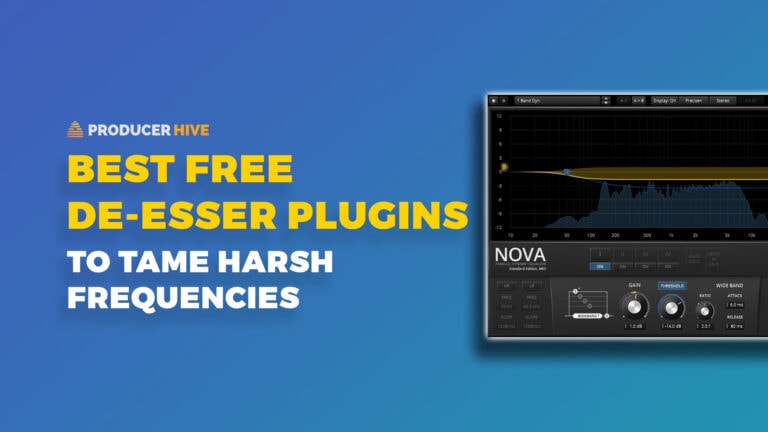
TDR Nova is a 4-band dynamic EQ that can be precisely tuned to cover a large variety of applications: broadband compression, static EQ, de-essing, harshness/resonance suppression, and multiband compression/expansion.
The inbuilt spectrum analyzer is fast and accurate, providing real-time displays of both the input signal as well as the dynamic changes in each band. Each band can be set to one of three filter modes, with a dedicated attack, release, and threshold controls per band.
The ratio can be set to less than or more than 1 for compression or expansion.
The GUI is extremely polished, the light ring metering around the threshold and gain dials being the standout features for me. They provide immediate visual feedback about the incoming signal level in relation to the threshold and the resultant gain reduction.
Verdict
TDR Nova is transparent and precise, with auto gain compensation to accurately monitor the changes in the audio signal without being distracted by changes in loudness.
A wet/dry mix, LP and HP filter, band soloing, and the ability to monitor the delta (difference) signal make it possibly the most comprehensive plugin on this list. And that’s just the freebie version!
TDR Nova is available for both Windows and Mac OS.
9. KolinMB by Analog Obsession
Unlike many multiband compressors that overwhelm with complexity, Kolin MB strikes the perfect balance between comprehensive features and intuitive workflow.
Its thoughtfully designed interface provides visual feedback that gets the job done quickly and efficiently. The crossover slopes are exceptionally clean, avoiding the phasing issues that plague lesser multiband tools.
Where Kolin MB truly excels is its versatility across genres. From taming unruly bass frequencies in electronic music to adding polish to acoustic recordings, its independent band controls and flexible ratio settings adapt to virtually any source material.
The ability to solo individual bands (and apply parallel processing) transforms it from merely a corrective tool into a creative sound design instrument, opening possibilities for frequency-targeted processing that static EQ simply cannot achieve.
Perhaps most impressive is how Kolin MB delivers this professional performance without decimating CPU resources, making it viable even in large projects where multiple instances might be needed.
Some say this is a great free alternative to the SSL G3, and we have to agree.
Wrapping Up
So, you can see that the freeware realm is now vast enough to accommodate everything from a brick-wall limiter to standard compression to dynamics processors.
Whether you are out to squash or expand, the multiband compressors on this list have enough variety to experiment with. If you are also hunting for a free “single-band” compressor, we have you covered with our 6 best free VST compressor plugins.