

- How does the Akai MPC one fare against the Maschine MK3?
- Can the Maschine MK3 be used without a computer?
- What is the difference between MK3 and MK3 Plus?
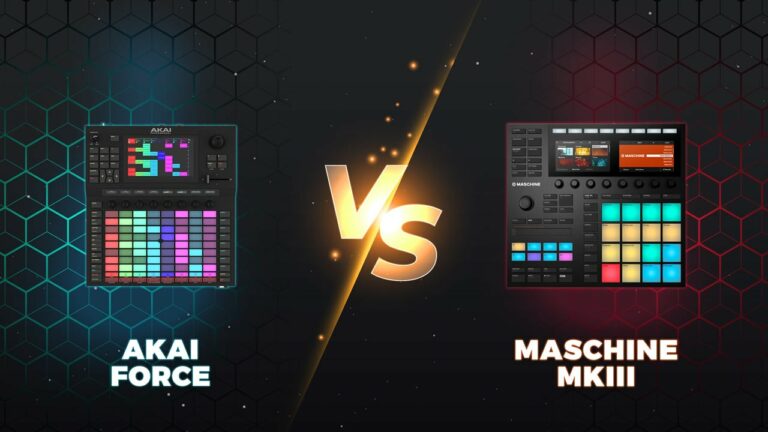
- Also, check out Akai Force vs. Maschine 3 (Differences & Which To Buy)
The Native Instruments Maschine MK3 and Akai MPC One are two of the most popular choices when it comes to modern sampling workstations. Producers all over the world make use of these units daily and in turn, they are quickly becoming the first choice for home producers of all skill levels.
In this article, we’ll compare the two to find out which sampling workstation is the best choice for your own productions and individual workflow.
Maschine MK3 vs Akai MPC One? Who Wins?
The Maschine MK3 is the best choice for the home producer who wants a device to integrate seamlessly with their DAW. If a computer is the centerpiece of your workflow and home studio setup you cannot overlook the Maschine MK3 as a viable option for your needs.
On the other hand, the Akai MPC One is the choice for anybody who wants to work on a standalone device. The Akai MPC One can be connected to other equipment via CV/Gate and leads the way as a standalone controller with exceptional sampling capabilities.
Having determined how these devices differ in workflow and who they will appeal to most, let’s take a closer look at the differences between the Akai MPC One and the Maschine MK3.
Akai MPC One
Overview
The Akai MPC One comes from the highly prestigious lineage of Akai MPC samplers. The MPC has become an integral part of hip-hop culture since its introduction in 1988 enduring use by numerous producers including J Dilla, Dr. Dre, and Kayne West. Generations have become familiar with the MPC’s all-inclusive workflow and the MPC One has firmly established itself as a heavyweight in the modern market.
The Akai MPC One is the latest iteration in a lineage of great standalone samplers, in an era where Akai’s fabled offering endures far more competition than it did in the 90s how does the MPC One hold up in 2023?
Features
- Weight:2.1kg
- Dimensions 272 x 272 x 53mm
- 16 Pads
- No inbuilt speakers
- 4GB (2GB Stock) Internal Storage
- SD Card SLOT
- USB 2.0 Port
- 2 Audio I/O Ports
- 4 CV/Gate Jacks
Review
The Akai MPC One seems to have kicked off a reinvigorated interest in the MPC line amongst a new generation of users that have grown up during the DAW era. Employing a familiar workflow that resonates across all generations of MPC the Akai MPC one will immediately feel familiar and easy to use for anybody who has used previous iterations of this highly prestigious sampler.
CV/Gate jacks and MIDI compatibility give the MPC the voice it needs to effectively talk with other compatible equipment however as anyone familiar with this breed of sampler will know, using any MPC is a relatively standalone affair. Perhaps this can account for why a new generation of producers has taken a shine to this sampling stalwart as the MPC could be considered a breath of fresh air amongst an abundance of DAW-dependent workstations that seem to rule the current home studio landscape.
The Akai MPC One comes prepackaged with 2GB of user storage which can be expanded into a total of 4GB. As per usual, a plethora of sounds ships with the unit, this time being specifically selected for the One and ranging from a variety of Dance and Urban essentials.
Surprisingly in its stock form, the vast majority of these are drum hits with no instrument samples being included in the stock package, however, these are easily added via the installation of expansion packs. It is also important to mention that since its initial release, Akai has included AIR Synth, Tubesynth, and Bassline as updates as well as other features such as the autosampler and arpeggiator all combining to greatly improve the standalone capabilities of the MPC ONE.
The Akai MPC one stands ahead of the pack as a standalone sampler, providing a range of ways to efficiently cut audio and assign sounds to any of the 16 pads housed on the surface of the unit. MIDI compatibility further expands the capabilities of the Akai MPC One and upon connecting a MIDI keyboard to the unit we found that its place as the centerpiece of our home studio setup became truly solidified.
One negative we found in relation to the MPC One was that the audio inputs paired on the back of the device are line level only, so an external preamp is required if you have the desire to sample bass or guitar through the device. We also felt that the omission of an internal battery was an oversight on behalf of the Akai company however, as this standalone unit will generally be utilized for studio use only this certainly is not a dealbreaker.
Native Instruments Maschine MK3
Overview
The NI Maschine MK3 represents a contemporary standard in which hardware and software are synced to seamlessly integrate, providing a modern workflow that many producers have become accustomed to in recent years.
Features
- Weight: 2.2kg
- Dimensions: 321 x 301 x 41mm
- Compatible with all major DAWs
- 16 Pads
- 8 Touch Sensitive Knobs
- Includes 45GB Komplete 13 Select Library
- 8GB Maschine Library includes a variety of one-shots, sliced loops, sampled instruments, and drum kits.
- Powered by USB 2.0
- Smart Strip for expressive input of pitch bends, performance fx, and other means of control
Review
The Maschine MK3 presents an all-in-one music-making playground for any discerning producer working exclusively with a DAW and computer. Introduced in 2009, the Maschine line has become a market leader in the realm of hardware input control devices.
We immediately noticed that the MK3 had been redesigned to free up more surface space, giving room for bigger and better-feeling pads that are also more durable.
The colorful displays are easy to read and the unit also features an integrated DAW, though remains compatible with all major DAWs “Logic Pro X,
The Smart Strip is a fantastic and unique feature that gives immediate feedback when controlling phrasing intricacies such as pitch bends as well as other production elements such as effects parameters. Incorporation of such a control feature gives a more creative means of automating instances of these production elements and in turn, may also provide a means of a faster workflow.
Another element of the Maschine MK3 that left an immediate impression on us was the gracious and intuitive LCD display. Its vivid illumination and color palette made it a treat for the eyes and the onscreen graphics left no guesswork in deciphering exactly what you were doing whilst navigating the menus.
Not only is the display of the Maschine MK3 nice to look we found its functionality to be fantastic, with the software arranger view being a clear star of the show and a very welcome addition to the Maschine lines functionality.
The Maschine MK3 doesn’t skimp on the hardware either, providing a fully functional audio interface built directly into the unit. Other connections include a headphone output, twin line inputs, and dynamic mic input providing a variety of ways in which one can incorporate external hardware into their setup.
Native Instruments have also managed to incorporate a number of stock synths and drum machines into the Maschine MK3, which also features a handy mic input. These features, on top of the unit’s sampling functionality, make it a very versatile hardware controller.
After spending a considerable amount of time working with the Maschine MK3 we couldn’t help but appreciate how intuitive the unit is to use with no menus or function sets bearing any inherent threat to the efficiency of our workflow. This is an aspect of this hardware controller that we adore as any device with this amount of features packed into it could definitely fall into the trap of being overly complex.
Akai MPC One Vs Maschine MK3
Affordability
Winner: Maschine MK3
Typical prices for the Maschine MK3 are around $699, while the MPC One is around $899.
Included in its original price, the MK3 comes with a 24-bit/96kHz USB 2.0 Audio Interface with Groove Production Software, 8GB of Samples, and the Komplete Select Software Bundle. The MPC One is still a good value for what many consider the best sampler and sequencer on the market, however, it might be a bit pricey for some producers, especially because the MPC One may be more suitable for beginners than the Maschine Mk3.
Sampling
Winner: Akai MPC One
It is commonly agreed upon in the music production community that the MPC One is better for sampling. Sampling was a primary concern in relation to the design of the MPC One from day one and the latest iteration in the MPC line is still leading the pack.
Software
Winner: Maschine MK3
The Maschine MK3 is hands-down the winner in this category. It was designed to control software and it comes with a lot of native instrument plugins. All-in-all, this hardware was made for the added Maschine software functionality with which the MPC One cannot compete as a standalone unit.
Workflow
Winner: Maschine MK3
Despite this topic being entirely subjective and the fact that the MPC has legions of followers who have effectively utilized its workflow for decades, we will have to award this category to the Maschine MK3.
We feel that numerous functions and concepts can be executed more intuitively with the Maschine MK3 without the requirement of possessing some essential background knowledge in relation to the device and its operation
Design
Winner: Maschine MK3
The Maschine MK3 is clearly influenced by the generations of MPC that preceded it and this fact cannot be understated. However, we felt that the Maschine MK3 manages to update and improve on a lot of these concepts ranging from its built-in LCD Display, illuminated heavy-duty pads, and highly legible top labels.
Wrapping Up
In general functionality and overall flexibility, we can’t help but feel that the Maschine MK3 edges the win. With so many producers utilizing software such as Ableton in their setups, we would find it hard to recommend a standalone unit such as the Akai MPC One to anybody besides users seeking this more traditional workflow.
However, if you are an established MPC user or you think that this kind of workflow may benefit your productions, you can rest assured that the Akai MPC One is a quality unit that is worthy of its pedigree lineage.
FAQ
Can The Maschine MK3 Be Used Without A Computer?
No, the Maschine MK3 does not work without a computer. The Maschine MK3+, however, works as a standalone device but is around 2x the price.
Is Maschine Easy To Learn?
Yes, Maschine is relatively easy to learn because it is modeled more like a modern DAW rather than a standalone device. The workflow, many say, is faster and more intuitive than other competitors.
Is Maschine MK3 Better Than Ableton Push?
Both devices are made to be used connected to your DAW, so if you’re an Ableton user already, then the Push will likely be better based on its exclusivity in its features and design to Ableton.
However, the Maschine MK3 is also a great device and may work better if you use another DAW like
Is MK3 Better Than The MK2?
Many say the same things can be accomplished with both. The MK3, however, has fewer button clicks and complexity in the menu. The MK3 also comes with a built-in audio interface and features upgraded pads, which are bigger, more sensitive, and more tunable.
What Is The Difference Between MK3 and MK3 Plus?
The MK3 Plus is 2x the price and includes a 24GB built-in sample library versus the 8GB sample library provided in the base model. The MK3 Plus also offers a standalone mode and has USB inputs for external devices. The two are very similar and it is recommended to only get the MK3 if you really value having a standalone sampling device.
What Is MPC One Used For?
MPC One is a standalone sampling workstation used for producing music in its entirety. From finding and importing samples to playing them live and sequencing them, to looping different sounds and rhythms together, you can do it all with an MPC One without the need for proprietary hardware(a laptop) or software (a DAW).


🙏❤️great article
biased review